Mailgun accepted vs delivered: what each event means
In Mailgun, accepted means Mailgun took your API or SMTP request and put the message in its queue; delivered means Mailgun handed the message to the recipient's mail server and that server accepted it. Every successful send produces accepted first, then normally delivered, or failed if the receiving server refuses. A message that stays at accepted is usually being retried after a temporary failure, scheduled for later, or addressed to a domain with missing or conflicting MX records.
The event lifecycle
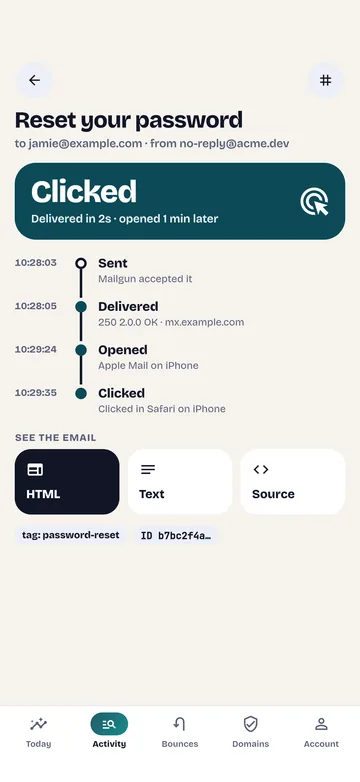
Mailgun logs one event per step. For an outbound message the order is:
| Event | Mailgun's meaning | What comes next |
|---|---|---|
rejected | Mailgun rejected the request to send/forward the email. | Nothing. The message was never queued. |
accepted | Mailgun accepted the request and the message has been placed in queue. | A delivery attempt. |
failed, severity: temporary | The receiving server deferred it. | Mailgun retries, for up to 8 hours by default. |
delivered | Mailgun sent the email and it was accepted by the recipient email server. | Possibly opened, clicked, unsubscribed or complained. |
failed, severity: permanent | Mailgun has stopped trying and dropped the message. | Nothing. Send a new message once the cause is fixed. |
opened and clicked need tracking enabled and the tracking CNAME pointing to Mailgun; complained arrives only from mailbox providers that send feedback loops. stored is for inbound mail kept by a Route, not for sending.
"Queued. Thank you." is not delivery
A successful POST /v3/{domain}/messages returns HTTP 200 straight away:
{
  "id": "<[email protected]>",
  "message": "Queued. Thank you."
}
That is the accepted event. Nothing has gone to the recipient yet. Store the id: it is the Message-Id header, and the way to find this message's later events.
At the other end, delivered only means the receiving server answered the SMTP transaction with success. In a delivered event's delivery-status you see "code": 250 and the server's reply, such as "message": "OK". Whether the message then lands in the inbox, the spam folder or a quarantine is the receiving provider's decision, and Mailgun doesn't see it.
Why a message is accepted but never delivered
Mailgun's help centre gives these causes. In the order you are most likely to meet them:
- It is still being retried. Look for
failedevents withseverity: temporaryon the same message. Mailgun retries after 10 minutes, then 15, 30 minutes, 1, 2 and 4 hours. If the window ends without delivery it logs a permanent failure described asToo old. See permanent vs temporary failures. - It is scheduled. Messages sent with
o:deliverytime(API) or theX-Mailgun-Deliver-Byheader (SMTP) stay ataccepteduntil that time; the accepted event'smessagegroup carries ascheduled-forUnix timestamp. Scheduling goes up to 7 days ahead, depending on the plan. Send Time Optimization and Time Zone Optimization behave the same way. - The recipient's domain has no MX records, at least at the moment Mailgun tried. Typos such as
gmai.comare the usual source; these often end as a permanent failure with498 No MX forthe domain. - The recipient's domain has more than one set of MX records, for example its mailbox provider's MX plus
mxa.mailgun.organdmxb.mailgun.orgadded to the root domain by mistake. Mailgun says this typically results in no delivery being attempted. The fix is on the recipient domain: keep one provider's MX records, and receive Mailgun mail on a subdomain. - A delay at Mailgun. Rare; Mailgun posts these on its status page.
If you see the message submitted only seconds ago, wait: events reach Mailgun's storage by different routes and can appear out of order.
Check one message's events
The Logs API returns every event for a message. Filter on the message ID without the angle brackets:
curl -s --user "api:$MAILGUN_API_KEY" \
  https://api.mailgun.net/v1/analytics/logs \
  -H "Content-Type: application/json" \
  -d '{"start": "Tue, 24 Nov 2026 00:00:00 +0000",
       "end": "Wed, 25 Nov 2026 23:59:59 +0000",
       "events": ["accepted", "delivered", "failed", "rejected"],
       "filter": {"AND": [
         {"attribute": "message_id", "comparator": "=",
          "values": [{"label": "[email protected]",
                      "value": "[email protected]"}]}]},
       "pagination": {"sort": "timestamp:desc", "limit": 100}}'
Use api.eu.mailgun.net for EU domains (US vs EU region). Read the newest event first:
- Only
accepted: scheduled, or waiting on the recipient's DNS. Checkscheduled-for, then look up the recipient domain's MX records. acceptedplusfailed(temporary): retrying.delivery-status.messagesays why, andretry-secondswhen the next attempt is due.failed(permanent): it won't be delivered. Mailgun error codes explains the common messages.
Mailgun keeps event data for 30 days; how much of it you can query depends on the plan.
Delivered, but the recipient can't find it
Once you have a delivered event with a 250, the problem is on the receiving side: a spam folder, a filtering rule, a quarantine in a corporate gateway, or a forwarding address. Ask the recipient to search spam and quarantine for the subject, and check your authentication: transactional emails going to spam covers the order to check.
A receiving server can also accept a message and bounce it later with a non-delivery report. Mailgun only sees those delayed bounces if the sending domain's MX records point to Mailgun; otherwise the message stays delivered in your logs.
Questions
Does accepted mean the email was delivered in Mailgun?
No. Accepted means Mailgun queued the message. Delivered is a separate, later event logged when the recipient's mail server accepts it.
How long can a Mailgun message stay accepted?
A message that keeps failing temporarily is retried for up to 8 hours by default, then logged as a permanent failure ("Too old"). A scheduled message stays accepted until its delivery time, up to 7 days ahead depending on the plan.
Can I cancel a message that is still queued in Mailgun?
Only by clearing the whole domain queue (Clear domain queue in the domain's settings, Admin users only). It deletes every queued message for that domain, including scheduled sends and messages waiting for a retry.
Does delivered mean the email reached the inbox?
No. It means the receiving server accepted it with a 250 reply. Inbox or spam placement happens after that and isn't reported back to Mailgun.
Related
- Mailgun failed events: permanent vs temporary failuresA Mailgun failed event has severity permanent (dropped, not retried) or temporary (retried for up to 8 hours). How to read reason and delivery-status.
- Mailgun error codes: API responses and delivery failuresMailgun API status codes (400, 401 Forbidden, 403, 404, 420, 429, 500) and the delivery errors in its logs, such as 498 No MX and Too old, with fixes.
- Mailgun webhooks: events, payload, signing and retriesMailgun webhook event types, the JSON payload, how to verify the HMAC-SHA256 signature with the webhook signing key, and the retry schedule (8 hours).
- Mailgun EU region API: US vs EU endpoints and errorsMailgun EU domains use api.eu.mailgun.net, US domains api.mailgun.net. The key works in both, so the wrong host says the domain doesn't exist.
- Transactional emails going to spam: a checklist that worksCheck in order: SPF, DKIM and DMARC pass and align; links and content; reputation; complaint rate; list hygiene. Start with the message headers.
- Bouncewise Mailgun API key: which key to useUse a Mailgun account API key (Admin or Support role), not a domain sending key. Bouncewise finds your US and EU domains with one key.