Bouncewise › Features › Email delivery widgets for iPhone
Email delivery widgets for iPhone
Bouncewise puts your transactional email on the iPhone Home Screen and Lock Screen: today's delivered rate, bounces, spam reports and failed inbound mail for Postmark, Mailgun, SendGrid or Resend. There are four widgets (Delivery, Needs attention, All servers and 7-day trend) in 16 sizes and Lock Screen styles. They're part of Bouncewise Pro and need iOS 17.
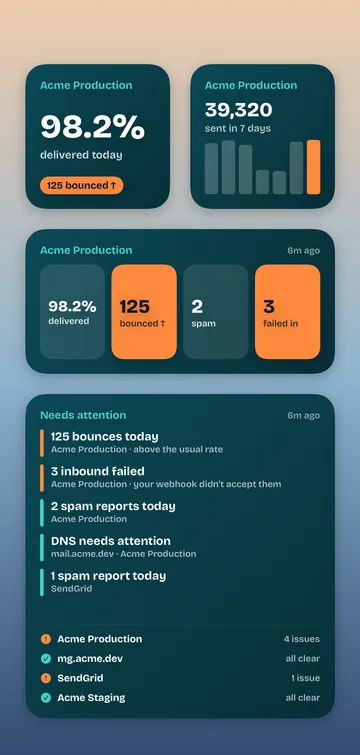
Delivery and 7-day trend: one server
Delivery shows one server's day: the delivered percentage in large type, then bounced, spam and failed inbound, with a spike marked when bounces run well above the usual rate. The large size adds the last 7 days of sends. 7-day trend is just the week's sends as bars. Both follow the server you're viewing in the app, or you can fix them to one server with Edit Widget, so a staging server and production can sit side by side.
Needs attention and All servers: everything at once
Needs attention counts problems across every connected server and lists them, most urgent first: a bounce spike, inbound mail your webhook didn't accept, spam reports today, a domain whose DNS needs attention. When there's nothing, it says so. All servers lists each Postmark server, Mailgun domain or SendGrid and Resend account with its delivered rate and bounces; the large size adds each one's provider and sends.
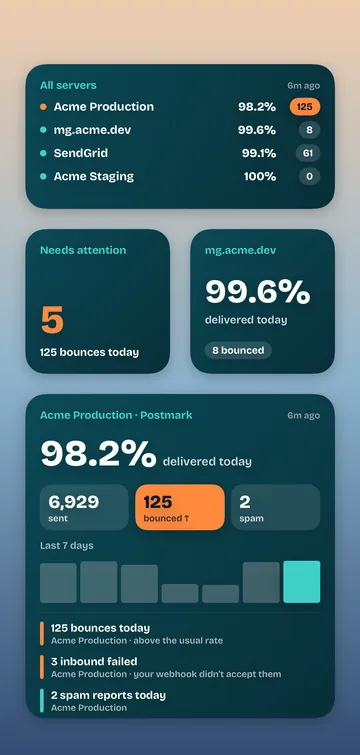
Every size
| Widget | Home Screen | Lock Screen |
|---|---|---|
| Delivery | Small, medium, large | Circular, rectangular, inline |
| Needs attention | Small, medium, large | Circular, rectangular, inline |
| All servers | Medium, large | — |
| 7-day trend | Small, medium | — |
On the Lock Screen, the inline Delivery widget reads like 98.6% delivered · 12 bounced above the clock.
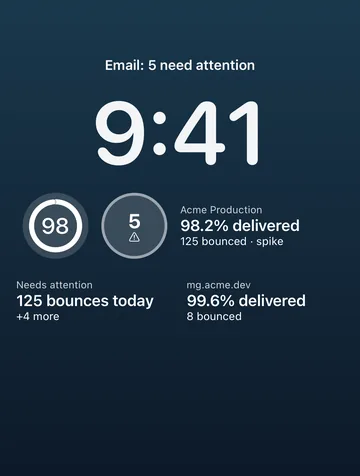
Where the numbers come from
The widgets don't hold a key or call your provider. The app saves a small snapshot of today's numbers when you open Today and on each background check, and the widgets draw that. Background checks run when iOS allows, so a widget can trail by a while; opening the app catches it up. Android has two widgets: the current server (2×2) and all servers (4×2).
Questions
Which providers do the widgets work with?
Postmark, Mailgun, SendGrid and Resend: any server, domain or account connected in Bouncewise.
Are the widgets free?
Widgets are part of Bouncewise Pro. Without Pro they show Widgets are Pro.
How often do they update?
Whenever the app loads Today and on each background check, which iOS schedules (often about hourly). They are not live to the second.
Related
- Bouncewise widgets: Home Screen and Lock ScreenFour Bouncewise widgets: Delivery, Needs attention, All servers and 7-day trend. How to add them, choose a server with Edit Widget, and how they refresh.
- Bounce alerts on your phonePhone notifications for bounce spikes, new spam complaints, failed inbound mail and a daily summary from Postmark, Mailgun, SendGrid or Resend.
- Bouncewise Pro: price, free trial, restore purchaseBouncewise Pro is $3.99 a month, $29.99 a year with a 7-day free trial, or $69.99 once. What's included, how to restore a purchase and how to cancel.
- How to monitor email delivery from your phoneWatch bounce rate, spam complaints, failed inbound and DNS status from your phone, with spike alerts and widgets for Postmark, Mailgun, SendGrid, Resend.