Bouncewise › Features › How Bouncewise keeps your email API keys safe
How Bouncewise keeps your API keys safe
Bouncewise stores your Postmark, Mailgun, SendGrid or Resend key only in your phone's secure storage (iOS Keychain or Android Keystore) and sends it only to that provider's API, never to our servers. The on-device cache never contains a key, read-only mode hides every action that could change your account, and email previews can't run scripts or load trackers.
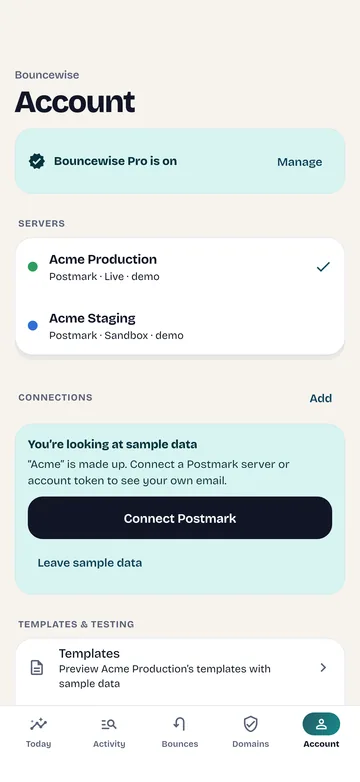
Where your key lives
- Secure storage only. The key goes into the Keychain or Keystore. App settings hold only a label and a masked version for the Connections list.
- Straight to your provider. The app calls the provider's API from the phone, for example
api.postmarkapp.com. There is no Bouncewise server in between, and we never receive your key. - Background checks too. Alerts and widget updates run on the phone with the key already there. Widgets themselves never see a key.
- Remove it any time. Deleting a connection forgets the key and clears its cached data on that phone.
Read-only mode and confirmations
Postmark tokens and Resend Full access keys can do more than read. Read-only mode (Account › Safety) hides reactivate, retry, bypass, remove suppression, Check DNS now and test sends. With it off, every change still asks first in plain words. For SendGrid, a Custom Access key with Read permissions works, so the key itself can't change anything.
Fast without storing secrets
Screens open from the last answer saved on the phone, then refresh. Cached responses are filed under a hash, and the key itself is never written to the cache.
Safe email previews
HTML previews run with a Content Security Policy that blocks remote images, fonts, scripts and frames, with JavaScript off and links disabled. Opening a password-reset email can't trigger a tracker or a link, and the Text view masks token-like values in links until you choose to show them.
Questions
Can Bouncewise staff see my emails?
No. Your email data goes from your provider to your phone; it doesn't pass through our servers.
What happens if I lose my phone?
The key is protected by the phone's secure storage, but rotate it in your provider's dashboard to be safe.
Does Bouncewise collect analytics?
Crash reports are optional and controlled by a switch in Account › Support; see the privacy policy for details.
Related
- Bouncewise read-only mode: look, never changeRead-only mode hides every action in Bouncewise: reactivate, retry, bypass, remove suppression, DNS checks and test sends. Turn it on in Account › Safety.
- Bouncewise Postmark token: server or account tokenConnect Postmark with a Server API token (one server) or an Account API token (every server, plus domains). Where to find each and what it unlocks.
- Bouncewise SendGrid API key: read-only scopesCreate a SendGrid Custom Access key with Read on Stats, Email Activity, Suppressions and Domain Authentication, then pick Global or EU in Bouncewise.
- Bouncewise Resend API key: use Full accessResend's Sending access keys can only send, so Bouncewise needs a Full access key to read emails, domains and suppressions. Create one under API Keys.
- SendGrid API key permissions: Full, Custom and BillingSendGrid API keys are Full Access, Custom Access (chosen scopes) or Billing Access. The scopes sending and read-only monitoring need, and how to check.