Read-only mode
Read-only mode hides every button in Bouncewise that changes something at your email provider: Reactivate address, Retry, Bypass, Retry all, Remove on the suppression list, Check DNS now and test sends. Turn it on in Account › Safety › Read-only mode. It applies to every connection on that phone and stays on until you switch it off.
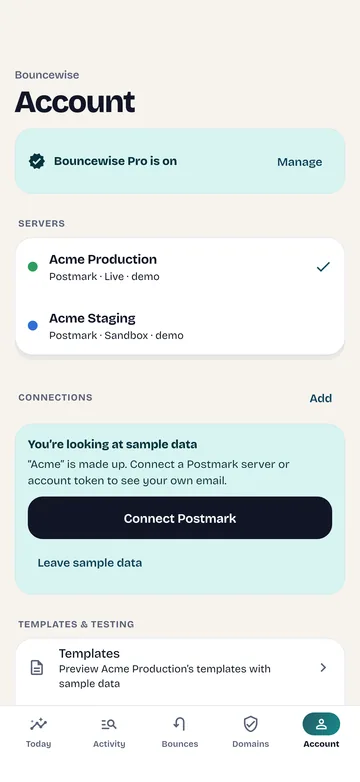
- Open Account Tap the Account tab.
- Switch it on Under Safety, turn on Read-only mode.
- Check a screen Open a bounce: the Reactivate address card is gone. Everything you can read is still there.
What it hides
| Where | Hidden in read-only mode |
|---|---|
| Bounces › a bounce | Reactivate address |
| Bounces › Suppression list | Remove next to each address |
| Activity › inbound | Retry all |
| Inbound message | Retry and Bypass |
| Domains | Check DNS now and Send a test email |
| Account › Templates & testing | Send a test email, and Send a test on each template |
Stats, activity, message timelines, HTML/Text/Source previews, bounce details, domains and template previews all stay. You can still add or remove connections, because that only changes what's stored on the phone.
When to use it
- Postmark and Resend keys can't be read-only. A Postmark server token can send and reactivate, and Bouncewise needs a Resend Full access key. Read-only mode is the way to keep this phone to looking only.
- On-call phones and shared devices. A tap in a pocket can't resume sending to an address that bounced or complained.
- SendGrid. You can also give the key Read access only, so the key itself can't change anything, and use read-only mode on top.
Good to know
Read-only mode is a setting on this phone, not on your provider account: someone with the same key elsewhere can still make changes. Even with it off, every change asks first, and actions are part of Pro.
Questions
Does read-only mode stop alerts or widgets?
No. Alerts and widgets only read, so they keep working.
Is there a read-only Postmark token?
Postmark doesn't offer one, which is why Bouncewise has read-only mode.
Related
- How Bouncewise keeps your email API keys safeBouncewise keeps API keys in the iOS Keychain or Android Keystore, sends them only to your provider, never to us, and has a read-only mode.
- Bouncewise Postmark token: server or account tokenConnect Postmark with a Server API token (one server) or an Account API token (every server, plus domains). Where to find each and what it unlocks.
- Bouncewise SendGrid API key: read-only scopesCreate a SendGrid Custom Access key with Read on Stats, Email Activity, Suppressions and Domain Authentication, then pick Global or EU in Bouncewise.
- Bouncewise Resend API key: use Full accessResend's Sending access keys can only send, so Bouncewise needs a Full access key to read emails, domains and suppressions. Create one under API Keys.