552 5.2.2: mailbox full (over quota)
552 5.2.2 means the recipient's mailbox is over its storage quota, so the server refused your message. The address exists; the person has no room. RFC 3463 meant mailbox-full to be temporary, and 452 4.2.2 is the retryable form, but a 552 is a 5xx, so providers stop trying, and at Gmail it means the inbox is full and inactive. Try again after a day or two, then stop mailing an address that stays full.
What it looks like
- Gmail, temporary:
452 4.2.2 The recipient's inbox is out of storage space. Please direct the recipient to Manage files in your Google Drive storage. - Gmail, permanent:
552 5.2.2 The recipient's inbox is out of storage space and inactive.The "and inactive" is the important part: the account is full and not being used. - Exchange: Microsoft's DSN reference describes 5.2.2
Mailbox fullas the recipient's mailbox having exceeded its storage quota. For mail-enabled public folders it documents554 5.2.2 mailbox full; STOREDRV.Deliver.Exception:QuotaExceededException.MapiExceptionQuotaExceeded. - Other servers: their own wording around "over quota", "quota exceeded" or "mailbox is full". The enhanced code is what counts.
Two look-alikes that are not the recipient's full mailbox:
5.2.2 Submission quota exceededfrom Exchange Online means the sender went over Microsoft 365's sending limits. If you relay through a Microsoft 365 mailbox, that is your account.552 5.3.4(Your message exceeded Google's message size limits.) or5.2.3is your message being too big. Shrink attachments; the mailbox may be fine.
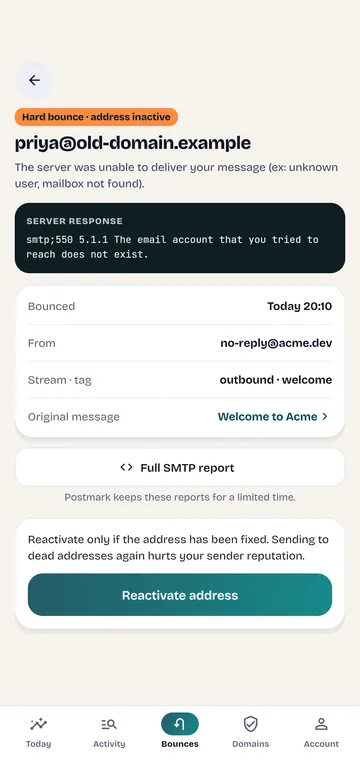
Soft or hard? It depends who you ask
RFC 3463 defines X.2.2 Mailbox full as a quota or capacity problem the recipient can fix by deleting messages, and says it "should be used as a persistent transient failure". Servers that answer with 552 anyway have decided it is not worth retrying. Your provider then labels it its own way:
| Provider | How a full mailbox is recorded | Can you send again? |
|---|---|---|
| Postmark | SoftBounce (type 4096): "Unable to temporarily deliver message (i.e. mailbox full, account disabled, exceeds quota, out of disk space)" | Yes. Postmark says you do not need to reactivate Soft Bounce addresses before sending to them again. |
| Mailgun | A soft bounce: a failed event with bounce type soft | Yes. Mailgun does not redeliver it automatically and does not add the address to the suppression list, so the next send is attempted. |
| SendGrid | A bounce event, type bounce or blocked; the bounce_classification values include Mailbox Unavailable | Check the type: see bounces vs blocks. |
| Resend | Transient bounce, subtype MailboxFull | Resend says you might be able to send to the recipient in future when the mailbox is no longer full. |
When to stop sending
A full mailbox rarely empties itself quickly, and a Gmail 552 5.2.2 already tells you the account is inactive. Postmark's advice for soft bounces is to wait a day or two, and if the problem lasts more than 48 hours, contact the recipient another way. A rule that works for transactional mail:
- First mailbox-full bounce: do nothing. Keep sending as normal.
- Still bouncing after a few days: show the user a notice in your app or contact them another way.
- Bouncing on every send for a couple of weeks, or any Gmail
552 5.2.2"and inactive": stop sending to it from your side, even if the provider did not suppress it, and ask for a new address.
The provider will not do step 3 for you when it records a soft bounce, so the count has to live in your own data. Repeatedly mailing a dead, full mailbox adds to your bounce rate for nothing.
What you can and can't fix
You cannot free space in someone else's mailbox. You can: make sure the message is not oversized (a large PDF on every receipt makes full mailboxes fail sooner); tell the user through another channel; and for a business recipient, send their admin the full bounce so they can raise the quota. For a mail-enabled public folder on Exchange, the admin raises the folder's post quota.
Questions
Is 552 5.2.2 a hard bounce?
It is a 5xx, so it is not retried, but most providers record a full mailbox as a soft bounce and keep the address active. At Gmail, 552 5.2.2 means the inbox is also inactive, so treat repeated ones as hard.
What does 552 5.2.2 user is over quota mean?
The same thing in another server's words: the mailbox has used all its storage, so new mail is refused until the person deletes messages or gets more space.
How long should I keep retrying a full mailbox?
Retry for a few days at most. If every send over a couple of weeks bounces as mailbox full, stop and ask the person for another address.
What is the difference between 452 4.2.2 and 552 5.2.2?
452 4.2.2 is temporary, so your provider keeps retrying. 552 5.2.2 is permanent for that message; at Gmail it means the account is full and inactive.
Related
- Hard bounce vs soft bounce: what each means, what to doA hard bounce is a permanent failure (5xx, e.g. 550 5.1.1): stop sending to it. A soft bounce is temporary (4xx, e.g. full mailbox): retry, then stop.
- SMTP codes and email bounce codes: the full listEvery SMTP reply code (421 to 555) and enhanced status code (X.1.1 to X.7.7) from RFC 5321 and RFC 3463, with what each means and what to do next.
- What is a good email bounce rate? Limits and targetsFor transactional email, keep your bounce rate well under 5%; Postmark requires under 10%. Most bounces should be rare hard bounces, so watch for spikes.
- 550 5.1.1 user unknown: the address does not exist550 5.1.1 means the recipient's server says the mailbox does not exist. It is a hard bounce: suppress the address and get a corrected one. Don't resend.
- SendGrid bounces vs blocks vs invalid emailsIn SendGrid a bounce is a problem with the address and stays suppressed; a block is about your IP or content and isn't. How all six lists differ.
- Mailgun failed events: permanent vs temporary failuresA Mailgun failed event has severity permanent (dropped, not retried) or temporary (retried for up to 8 hours). How to read reason and delivery-status.