Postmark templates: Mustachio syntax, layouts and sending with a template
Postmark templates use Mustachio, a Mustache-like language: {{ name }} inserts an HTML-escaped value, {{#name}}…{{/name}} renders a block only when the value is present (and scopes into it), {{^name}}…{{/name}} renders when it is missing, false, null or empty, and {{#each items}}…{{/each}} loops. There is no if/else keyword; sections and inverted sections do that job. Send with POST /email/withTemplate, giving TemplateId or TemplateAlias plus a TemplateModel with the values.
Mustachio syntax at a glance
| Syntax | What it does |
|---|---|
{{ person.first_name }} | Inserts a value, HTML-encoded. Dots reach into objects. |
{{#person}}…{{/person}} | Scopes into person so you can write {{ first_name }}; skipped if person is missing, null, false or empty. |
{{^person}}…{{/person}} | Inverted group: renders only when the value is missing, null, false or empty. |
{{#each items}}…{{/each}} | Repeats the block for each element of an array. |
{{ . }} | The current value inside a section. |
{{ ../company_name }} | Goes up one level of the model; repeat ../ to go higher. |
{{{ html }}} or {{& html }} | Inserts without HTML encoding. Only for content you trust. |
{{{ @content }}} | In a layout: where the template's content goes. |
{{{ pm:unsubscribe }}} | Postmark's unsubscribe link; required on broadcast streams. |
Variables work in the Subject too, for example Your {{ product_name }} receipt. When you send with a template you can't pass a Subject field; put a variable in the template's subject instead.
If/else in Postmark templates
Postmark's FAQ says it plainly: Mustachio doesn't have any if-else syntax built in. Pair a section with an inverted group on the same key:
{{#first_name}}Hi {{ . }},{{/first_name}}{{^first_name}}Hi there,{{/first_name}}

{{#trial_ends_at}}
  Your trial ends on {{ . }}.
{{/trial_ends_at}}
{{^trial_ends_at}}
  Thanks for being a paying customer.
{{/trial_ends_at}}
With {"first_name": "Ann"} this renders Hi Ann,; with the key missing, null or false it renders Hi there,. For a flag, send a boolean such as "is_trial": true and wrap blocks in {{#is_trial}} and {{^is_trial}}.
Two gotchas: there are no comparisons (status == "paid"), so compute booleans in your code before sending; and inside {{#key}} the scope changes to that value, so reach other fields with ../.
Loops and nested values
Use {{#each}} for arrays. Inside the loop each element is the scope, and ../ climbs back to the outer model:
<ul>
{{#each items}}
  <li>{{ name }} × {{ quantity }}{{#note}} ({{ . }}){{/note}} for {{ ../../customer_name }}</li>
{{/each}}
</ul>
The path depth follows Postmark's own example, which uses ../../ to reach a top-level value from inside {{#each}}. An empty array renders nothing, so add {{^items}}No items.{{/items}} if the email needs a fallback.
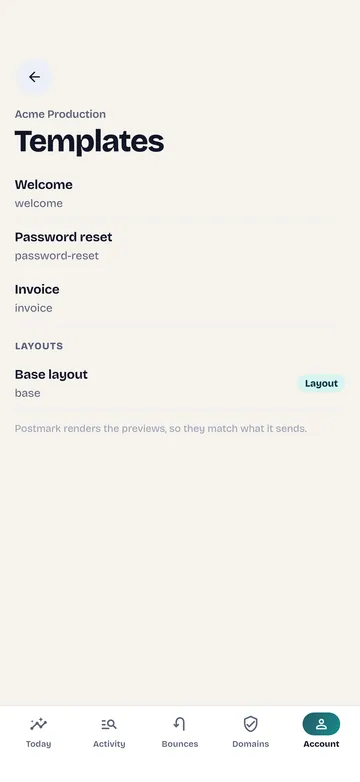
Layouts, aliases and limits
- Two template types:
StandardandLayout, set when you create the template and not changeable later. A layout holds shared HTML and CSS and must contain the content placeholder{{{ @content }}}exactly once; it can't have a subject. - A standard template picks a layout with
LayoutTemplateset to the layout's alias. - Aliases let your code refer to
welcomeinstead of a numeric ID that differs between servers. Allowed characters are letters, numbers,.,-and_, starting with a letter. - Limits: up to 100 templates per server.
PUT /templates/push(account token) copies templates with aliases from one server to another, for example staging to production. - CSS in
<style>blocks is inlined on send unless you pass"InlineCss": false. A<link>tag in the<head>isn't supported and gives ErrorCode 1122.
Send with a template
curl "https://api.postmarkapp.com/email/withTemplate" \
  -X POST \
  -H "Accept: application/json" \
  -H "Content-Type: application/json" \
  -H "X-Postmark-Server-Token: $POSTMARK_SERVER_TOKEN" \
  -d '{
    "From": "[email protected]",
    "To": "[email protected]",
    "TemplateAlias": "receipt",
    "TemplateModel": {
      "first_name": "Ann",
      "items": [{"name": "Pro plan", "quantity": 1}],
      "customer_name": "Example Ltd"
    },
    "MessageStream": "outbound"
  }'
Use TemplateId or TemplateAlias. For many messages, POST /email/batchWithTemplates takes a Messages array of the same objects. The test token POSTMARK_API_TEST doesn't work with templates; send with your server token to [email protected] to see the result in Activity without an inbox.
Validate before you send, and the errors you'll meet
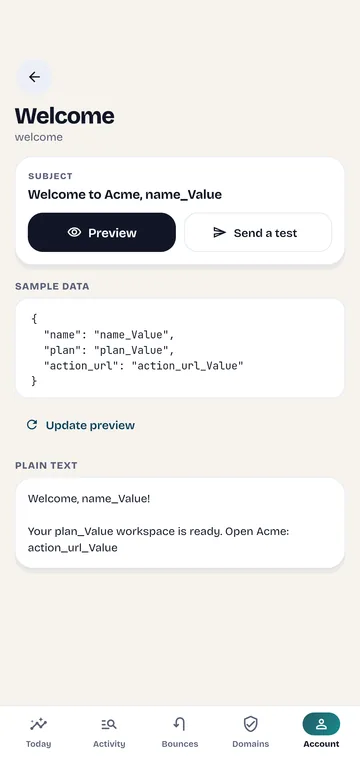
POST /templates/validate parses a subject, HTML and text body, renders them with your TestRenderModel, and returns AllContentIsValid, per-part ValidationErrors (with line and character position) and a SuggestedTemplateModel listing every key the template uses. Run it in CI before pushing template changes.
| ErrorCode | Postmark's meaning |
|---|---|
| 1101 | Neither TemplateId nor TemplateAlias given, or the template, alias or layout wasn't found. |
| 1105 | The server's active-template limit would be exceeded. |
| 1109 | No template data received. |
| 1120 | A required field is missing (Name, TextBody/HtmlBody, Subject or TemplateModel). |
| 1121 | A field is too long. |
| 1122 | Invalid TemplateType, alias empty, invalid or in use, unparseable body, or a reserved top-level TemplateModel key. |
| 1123 | Mixing template and non-template fields, such as a layout with a subject. |
| 1131 | Layout content-placeholder rules not met. |
A message can also be accepted and then fail as a bounce of type TemplateRenderingFailed (TypeCode 100010). More codes: Postmark API error codes.
Questions
Does Postmark support if/else in templates?
No. Mustachio has no if/else; use {{#key}}…{{/key}} for when a value is present and {{^key}}…{{/key}} for when it is missing, false, null or empty.
How do I use a template alias in Postmark?
Give the template an Alias (in the editor or with PUT /templates/{id}), then send with "TemplateAlias": "your-alias" instead of TemplateId.
Can I set the subject when sending with a Postmark template?
Not with a Subject field. Put variables in the template's subject, or make the subject {{ subject }} and pass the text in TemplateModel.
Can I test Postmark templates with POSTMARK_API_TEST?
No, the test token can't find your templates. Use your server token and send to [email protected], or render with /templates/validate.
Related
- Postmark API error codes: every code and what to doPostmark returns an ErrorCode with a Message, mostly with HTTP 422. Table of codes from 10 to 1502 with meanings, HTTP status and whether to retry.
- Postmark message streams: transactional, broadcast, inboundEach Postmark server has an outbound transactional stream and an inbound stream; you add broadcast streams. Pick one per email with MessageStream.
- Postmark Server API token vs Account API tokenThe Server token (X-Postmark-Server-Token) sends mail and reads one server. The Account token (X-Postmark-Account-Token) manages servers and domains.
- Postmark hard bounce meaning, and every bounce typePostmark HardBounce (TypeCode 1): the mailbox doesn't exist or refused mail for good, so the address is deactivated. All 22 bounce types explained.
- Test email templates on your phonePreview Postmark, Mailgun, SendGrid and Resend email templates with sample data on your phone, then send a test to yourself from a verified sender.
- Bouncewise: preview templates, send a test emailPreview your Postmark, Mailgun, SendGrid or Resend templates with sample data and send a test to yourself. Per-provider sender rules and common errors.