550 5.4.1: Recipient address rejected: Access denied
550 5.4.1 Recipient address rejected: Access denied comes from Microsoft 365 (Exchange Online). Its Directory-Based Edge Blocking looked the address up in the organisation's directory, did not find it, and rejected the message before any filtering. Usually the address does not exist, so treat it like a hard bounce. If every address at that company bounces this way, the problem is their Microsoft 365 setup, not your list.
- Confirm the text Check the bounce says 550 5.4.1 Recipient address rejected: Access denied and names a Microsoft server.
- Check other addresses at that domain If colleagues at the same company receive your mail, the address is invalid. If everyone bounces, it is their configuration.
- Fix or replace a single bad address Look for a typo and ask the user for a working address; leave the old one suppressed.
- Send a domain-wide problem to their admin Forward the full bounce. Microsoft's fix is on their side: resync the accepted domain or the mailbox's proxy address.
- Reactivate after they confirm Once the mailbox exists in Exchange Online, reactivate the address at your provider and send once to check.
What the message means
Microsoft documents it in one line: 550 5.4.1 Recipient address rejected: Access denied is generated "when directory-based edge blocking in Microsoft Exchange Online blocks an incoming email message because the recipient's email address is invalid". Directory-Based Edge Blocking (DBEB) rejects mail for unknown recipients at the edge of Microsoft 365, before anti-malware, anti-spam and mail flow rules run.
Two things make it confusing:
- "Access denied" does not mean you are blocked. It means the address is not in that tenant's directory. Your reputation is not the issue.
- The code does not match the RFC. RFC 3463 defines X.4.1 as No answer from host, a routing status. Microsoft uses 5.4.1 for its own purposes, so code tables that only list the RFC meaning send people the wrong way.
Microsoft's NDR reference has a second 5.4.1: Relay Access Denied, meaning the server generating the error does not accept mail for the recipient's domain because of a mail server or DNS misconfiguration. Real bounces often add a tag such as AS(201806281) and the name of the Microsoft server that rejected the message.
Causes, most common first
- The address does not exist. A typo, a person who left, a deleted shared mailbox. One address at the company bounces; colleagues receive your mail.
- A mailbox that was not synced. In a hybrid setup the mailbox exists on-premises but has not reached Microsoft Entra ID / Exchange Online, so DBEB treats it as unknown. Microsoft's fix is to reset the recipient's SMTP proxy address and allow up to 24 hours for DBEB to update.
- A migration switched on too early. The company set its accepted domain to Authoritative before every recipient was added. Microsoft recommends staying on Internal relay until all recipients are in Exchange Online; when every address at a domain fails, it suggests switching Authoritative to Internal relay and back to resync.
- Groups and public folders that cannot sync. On-premises dynamic distribution groups do not sync to Exchange Online and are blocked by DBEB; the workaround is a mail contact with the same address. Mail-enabled public folders must be synced first.
- MX pointing at Microsoft 365 for a domain it does not host. That is the
Relay Access Denied5.4.1.
Is it them or you?
Group the bounces by domain. One 5.4.1 at a company with other addresses receiving fine: the address is gone. Every address at the company in the same hour: their tenant. Check where their mail goes:
dig +short MX example.com
example-com.mail.protection.outlook.com.
Microsoft says a domain enrolled in Exchange Online has an MX of the form <domain>.mail.protection.outlook.com or <domain>.subdomain.mx.microsoft. If the MX points at Microsoft and a known-good address bounces with 5.4.1, send their admin the full bounce and Microsoft's 550 5.4.1 article. If the MX does not point at Microsoft at all, the rejection came from somewhere else and the 5.4.1 means something else.
What your provider does with it
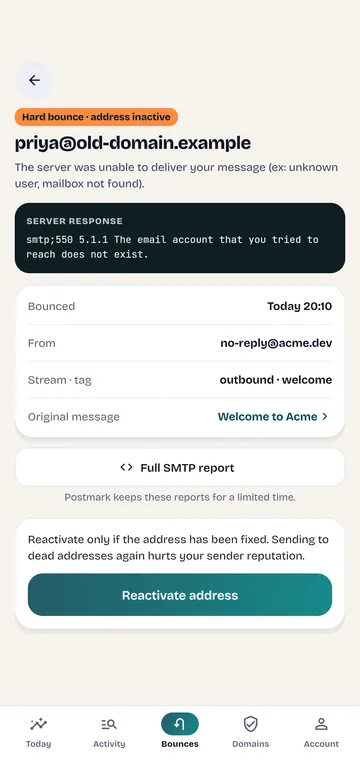
It is a permanent (5xx) failure, so it is not retried, and providers generally treat an unknown recipient as a hard bounce and suppress the address. That is right for cause 1. For causes 2 to 4, once the company confirms the mailbox now receives mail, remove the suppression or reactivate the address (on Postmark, Mailgun or SendGrid) and send once. Doing it earlier just produces another hard bounce.
Questions
What does 550 5.4.1 mean?
Microsoft 365 rejected the message because the recipient address is not in that organisation's directory. It was checked by Directory-Based Edge Blocking before any spam filtering.
Is 550 5.4.1 a hard bounce?
Yes, treat it as one: it is permanent and usually means the address does not exist. The exception is when a whole company's addresses fail, which is their setup.
Can the sender fix 550 5.4.1?
Only by correcting the address. If the address is right, the recipient's admin has to add or sync the mailbox in Exchange Online.
Why does it say Access denied if the address does not exist?
That is Microsoft's wording for a DBEB rejection. It refers to the unknown recipient, not to your sending reputation.
Related
- 550 5.1.1 user unknown: the address does not exist550 5.1.1 means the recipient's server says the mailbox does not exist. It is a hard bounce: suppress the address and get a corrected one. Don't resend.
- Hard bounce vs soft bounce: what each means, what to doA hard bounce is a permanent failure (5xx, e.g. 550 5.1.1): stop sending to it. A soft bounce is temporary (4xx, e.g. full mailbox): retry, then stop.
- SMTP codes and email bounce codes: the full listEvery SMTP reply code (421 to 555) and enhanced status code (X.1.1 to X.7.7) from RFC 5321 and RFC 3463, with what each means and what to do next.
- 554 5.7.1 error: message rejected, causes and fixes554 5.7.1 is a permanent policy refusal, usually from Postfix or a spam filter: relay access denied, a listed IP or an access rule. How to tell them apart.
- Reactivate a bounced address in Postmark (UI and API)Reactivate in the stream's Suppressions tab, with PUT /bounces/{id}/activate or the suppressions delete endpoint. Spam complaints need Postmark support.
- What is a good email bounce rate? Limits and targetsFor transactional email, keep your bounce rate well under 5%; Postmark requires under 10%. Most bounces should be rare hard bounces, so watch for spikes.