DKIM fail: what it means and how to fix each cause
DKIM fail means the receiving server found a DKIM-Signature on your message but could not verify it. The three usual reasons are that the body changed after signing (body hash did not verify), a signed header changed or the public key does not match (signature did not verify), or there is no public key in DNS at the selector (no key for signature). The reason in brackets in the Authentication-Results header tells you which one to fix.
- Read the reason Open the full headers of a failing message and note the reason in brackets after dkim=fail, plus header.d and header.s.
- Look up the key Run dig for TXT (or CNAME) at selector._domainkey.domain and compare it with the record your provider shows.
- Fix the record Re-add a missing key at the right name, remove stray quotes or spaces, and set DKIM CNAMEs to DNS-only if your DNS host offers a proxy.
- Find what changes the message For body hash failures, send the same message straight to a Gmail address; if it passes there, a list, gateway or relay on the failing path is modifying it.
- Re-test Send a new message and confirm dkim=pass with header.d on your own domain.
What a DKIM failure looks like
Open the message's full headers and find Authentication-Results, added by the receiving server. A failure looks like this (illustrative):
Authentication-Results: mx.example.net;
  dkim=fail (body hash did not verify) header.d=example.com header.s=s1;
  spf=pass smtp.mailfrom=pm-bounces.example.com;
  dmarc=pass header.from=example.com
header.d is the signing domain and header.s the selector. The text in brackets is the receiver's reason; many receivers use the wording from RFC 6376, which defines the verifier's failure reasons. Microsoft documents the same form, for example dkim=fail (body hash did not verify) header.d=contoso.com.
RFC 8601 defines the result words: pass, fail (signed, but verification failed), neutral (signature could not be processed, also used for other failures), policy (signature verified but not acceptable to the receiver), none (not signed), temperror (for example the key could not be fetched) and permerror (an unrecoverable error).
The failure reasons, most common first
| Reason (RFC 6376 wording) | What happened | Fix |
|---|---|---|
body hash did not verify | The body changed after signing. The bh= hash no longer matches. | Find what touches the message after your provider signs it: a mailing list adding a footer, a security gateway rewriting links or adding a banner, an outbound relay adding a disclaimer. Sign after the last change, or stop the change. |
signature did not verify | A header listed in h= changed (a subject tagged [External], a rewritten From), or the DNS key is not the pair of the private key that signed. | Compare the selector in the header with the record in DNS. After a key rotation, publish the new key before the provider starts signing with it. |
no key for signature | Nothing exists at selector._domainkey.domain. | The record is missing, sits at the wrong name (often s1._domainkey.example.com.example.com because the DNS host added the zone) or was lost in a DNS move. Re-add it exactly as the provider shows it. |
key syntax error | The TXT record exists but is not a valid key record. Receivers that use their own wording may say something like invalid public key. | Usually a truncated p= value, stray spaces, or literal quote marks saved by the DNS editor. Long keys may be split into several strings: RFC 6376 says they are joined with no spaces, so splitting is fine, editing the value is not. |
key revoked | The record has an empty p=. | The selector was retired. Make sure the provider signs with the current selector. |
key unavailable (temporary) | The DNS lookup timed out. | Usually clears on retry. If it repeats, check your DNS host's health. |
Check the key yourself
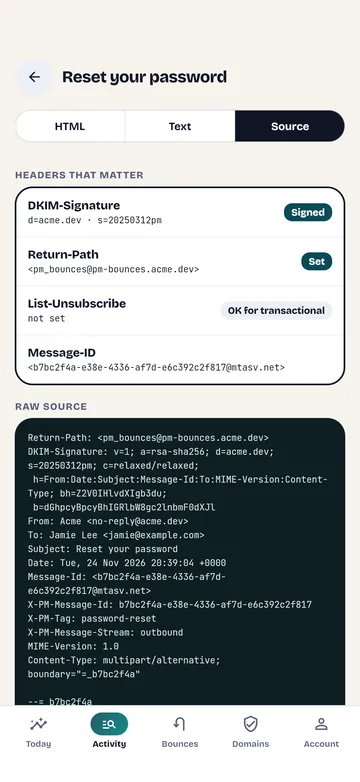
Take d= and s= from the message's DKIM-Signature header:
DKIM-Signature: v=1; a=rsa-sha256; c=relaxed/relaxed;
  d=example.com; s=s1; t=1764000000;
  h=from:to:subject:date:message-id;
  bh=…; b=…
Then look the key up at exactly that name:
# the selector (s=) and domain (d=) from the DKIM-Signature header
dig +short TXT s1._domainkey.example.com

# providers that use CNAMEs for DKIM (SendGrid, some Resend domains)
dig +short CNAME s1._domainkey.example.com
The TXT answer should start v=DKIM1; (the tag is optional, but common) and contain a long p= value that matches what your provider shows. Name shapes differ by provider: Postmark uses a dated selector such as 20230601123456pm._domainkey, Resend uses resend._domainkey, and SendGrid publishes CNAMEs at s1._domainkey and s2._domainkey that point to SendGrid's servers. Gmail also requires a key of at least 1024 bits for mail to personal Gmail accounts and recommends 2048.
DKIM fail but DMARC pass, and when it matters
DMARC passes if either SPF or DKIM passes for a domain aligned with the From address. So dkim=fail with dmarc=pass means SPF carried the message, usually through a custom Return-Path such as pm-bounces.example.com. That is fine for today, but fragile: SPF breaks when a message is forwarded, while an intact DKIM signature survives forwarding. Fix DKIM anyway.
A message can also carry two signatures, your domain's and your provider's. If only the provider's passes, the header shows dkim=pass but with the provider's header.d, which does not align, and DMARC can still fail. See why DMARC fails.
For bulk senders, Gmail also checks DKIM on its own. Its rejection reads This message was blocked because it didn't pass DKIM authentication. Gmail requires bulk email senders to authenticate their email with DKIM. (code 5.7.30; 4.7.30 for the temporary version).
Questions
Why does DKIM fail but DMARC pass?
DMARC needs only one aligned pass. If SPF passes for a domain aligned with your From address, DMARC passes even though the DKIM signature failed.
What does dkim=fail (no key for signature) mean?
The receiver looked up the selector and domain from the signature in DNS and found no record. Check the record name, especially whether your DNS host appended the domain twice.
Does forwarding break DKIM?
Plain forwarding usually keeps DKIM intact. It breaks when the forwarder changes the message, for example a mailing list adding a footer or a subject prefix.
How long after adding the record does DKIM pass?
As soon as receivers can see the record in DNS. Messages already sent keep their original result; only new messages are checked against the new key.
Related
- Why DMARC fails, even when SPF or DKIM passesDMARC fails when no SPF or DKIM pass is aligned with the From domain. A pass on your provider's domain doesn't count. The causes and fixes.
- SPF fail, softfail and neutral: what they meanSPF fail: the sending IP isn't in the Return-Path domain's SPF record and it ends in -all. Softfail (~all) is weaker, neutral (?all) says nothing.
- SPF, DKIM and DMARC explained, with a working setupSign with DKIM on your domain, align SPF via a custom Return-Path, start DMARC at p=none. The records for Postmark, Mailgun, SendGrid and Resend.
- Postmark DKIM pending or Return-Path not verified: fixPostmark verifies a DKIM TXT record at the host it gives you and a pm-bounces CNAME to pm.mtasv.net. Fix appended names, Cloudflare proxying and typos.
- SendGrid domain authentication: CNAMEs and fixing VerifySendGrid domain authentication adds three CNAMEs (em…, s1._domainkey, s2._domainkey) plus DMARC. What each record does and why Verify fails.
- 550 5.7.26: Gmail blocked unauthenticated email550 5.7.26 is Gmail rejecting mail that failed SPF and DKIM, failed a -all SPF record, or failed DMARC. Fix: DKIM for your own domain and an aligned From.