SendGrid 403: "The from address does not match a verified Sender Identity"
SendGrid rejects a send with HTTP 403 and this message when the address in your From field is neither a verified single sender nor on a domain you have authenticated in the same account. Fix it by authenticating the sending domain (Settings > Sender Authentication), or by verifying that exact address as a single sender, then send again with the From address spelled the same way. A 403 that says only "access forbidden" is a different problem: the API key lacks the Mail Send permission.
- Read the full error Log the response body, not just the status, to tell the Sender Identity 403 from access forbidden.
- Authenticate the sending domain In Settings > Sender Authentication, authenticate the domain used in From and add the CNAME records it gives you.
- Click Verify Return to the console and click Verify once the records are live; DNS can take up to 48 hours.
- Match the From address Send from an address on that domain exactly, and put any user-supplied address in Reply-To.
- Send again Retry the request; a 202 Accepted means SendGrid took the message.
What you see
From the v3 Mail Send API (POST https://api.sendgrid.com/v3/mail/send) the request fails with status 403 and the reason in errors[].message:
The from address does not match a verified Sender Identity. Mail cannot be sent until this error is resolved. Visit https://sendgrid.com/docs/for-developers/sending-email/sender-identity/ to see the Sender Identity requirementsLibraries and plugins often show only the first sentence, or wrap it as 403 Forbidden. Nothing was accepted, so there is no message ID and nothing appears in Email Activity or Email Logs. That is why the problem is easy to miss when a background job swallows the error.
Two other 4xx answers look similar but have different causes:
| Status | Message | Meaning |
|---|---|---|
| 403 | The from address does not match a verified Sender Identity | From address not verified and not on an authenticated domain |
| 403 | access forbidden | The key (or teammate) lacks the permission for this endpoint; for sending, the mail.send scope |
| 401 | authorization required | Missing or invalid API key |
How SendGrid decides whether a From address is allowed
Every message needs a verified Sender Identity, which SendGrid defines as your From address. There are two ways to get one:
- Domain authentication: you add DNS records for your domain. Once it validates, any address on that domain counts as verified. Twilio recommends this for anything in production.
- Single sender verification: you add one address and click the link SendGrid emails to it. Twilio's Sender Identity page describes it as working for testing only, and SendGrid's own 4XX troubleshooting article says the Email API and SMTP require domain authentication.
If you add a single sender on a domain that is already authenticated, and the domains match exactly, SendGrid verifies it automatically.
Avoid free mailbox addresses (Gmail, Yahoo, Outlook) as senders. Even when verified, those domains publish strict DMARC policies, so your mail is likely to be rejected or filtered as spam.
Causes, most common first
- The domain was never authenticated, or authentication is still pending because a DNS record is missing. See SendGrid domain authentication.
- The From address is on a different domain from the one you authenticated: a typo, a staging config, a plugin default such as
wordpress@yourhost, or a different brand domain. Subdomains do not inherit authentication from their parent, so authenticatingexample.comdoes not cover[email protected]. - A single sender was added but the verification link was never clicked, or the sender was deleted later.
- The app sets the From to the user's address (contact forms, forwarding). Put your own verified address in From and the visitor's address in Reply-To.
- The key belongs to a different SendGrid account from the one where you verified the sender, for example an old key left in an environment variable.
Check it from the command line
List the authenticated domains and whether each is valid:
curl -s https://api.sendgrid.com/v3/whitelabel/domains \
  -H "Authorization: Bearer $SENDGRID_API_KEY"
Look for your From domain with "valid": true. Then list single senders (the endpoint returns verified and unverified ones):
curl -s https://api.sendgrid.com/v3/verified_senders \
  -H "Authorization: Bearer $SENDGRID_API_KEY"
An entry with "verified": false still needs its link clicked. If either call itself returns 403 access forbidden, the key cannot read that data; check its scopes with GET https://api.sendgrid.com/v3/scopes. If you send through an EU regional subuser, use https://api.eu.sendgrid.com instead.
The other 403: access forbidden
If the body says access forbidden rather than mentioning a Sender Identity, the From address may be fine; the key is not allowed to send. Common reasons:
- The key was created with Custom Access and Mail Send left off, so it has no
mail.sendscope. A read-only key made for a dashboard will always get this. - The key is a Billing Access key, which cannot hold any other permission.
- The teammate who owns the key does not have the permission, and a key cannot have more than its creator.
Edit the key under Settings > API Keys to add Mail Send, or create a separate sending key. More in SendGrid API key permissions.
Questions
Can I send from a Gmail address through SendGrid?
You can verify one as a single sender, but Gmail's DMARC policy means mail claiming to be from gmail.com and sent by SendGrid is likely to be rejected or marked as spam. Use your own domain.
Do I need to verify each address on my domain?
No. Once the domain is authenticated and valid, any address on it is treated as a verified sender.
Why does it work in the SendGrid test but fail from my app?
The app is probably using a different From address or a key from another account. Compare the From in the failing request with your authenticated domains and verified senders.
Related
- SendGrid domain authentication: CNAMEs and fixing VerifySendGrid domain authentication adds three CNAMEs (em…, s1._domainkey, s2._domainkey) plus DMARC. What each record does and why Verify fails.
- SendGrid API key permissions: Full, Custom and BillingSendGrid API keys are Full Access, Custom Access (chosen scopes) or Billing Access. The scopes sending and read-only monitoring need, and how to check.
- SPF, DKIM and DMARC for transactional email: setupSign with DKIM on your domain, align SPF via a custom Return-Path, start DMARC at p=none. The records for Postmark, Mailgun, SendGrid and Resend.
- SendGrid Email Activity history: 30 days and missing mailSendGrid Email Logs keeps 30 days of events for every customer. The older Email Activity Feed needs a paid add-on for 30 days. Why a message may not show.
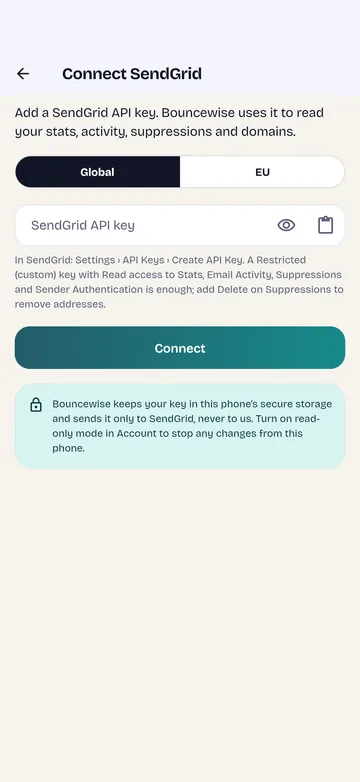
- Bouncewise SendGrid API key: read-only scopesCreate a SendGrid Custom Access key with Read on Stats, Email Activity, Suppressions and Domain Authentication, then pick Global or EU in Bouncewise.