Transactional vs marketing email: why to send them separately
Transactional email is triggered by something a person did (a password reset, a receipt, a sign-in alert) and goes to one recipient. Marketing email is sent on your schedule to many people. Send them through separate streams, IPs and ideally subdomains, because marketing draws more complaints and unsubscribes, and you don't want that reputation landing on the emails people are waiting for.
Which is which
| Transactional | Marketing (broadcast) |
|---|---|
| Password reset, magic link, 2FA code | Newsletter, product announcement |
| Receipt, invoice, shipping update | Promotions, discount codes |
| Account alerts, comment notifications | Onboarding drip with upsells |
| Sent to one person, because of what they did | Sent to a list, because you chose to |
A quick test: if the person would be annoyed not to get it, it is transactional. If they could reasonably have opted out, it is marketing. The grey area is mail that is required but not personal, such as changes to your terms. Postmark files those under broadcast. A receipt with a large promotional block is also drifting towards marketing; keep promotions out of transactional templates.
Why mixing them hurts
- Reputation is shared. Mailbox providers judge the IPs and domains you send from. A campaign that draws complaints lowers the standing of the password reset sent from the same place an hour later.
- Complaint limits are tight. Gmail wants spam rates below 0.10% and never at 0.30%. Postmark's own account limit is 0.1%. Marketing hits those numbers far more easily than receipts do.
- Unsubscribes are different. Gmail and Yahoo require one-click unsubscribe for marketing and subscribed messages from bulk senders; Google's FAQ says it is not required for transactional mail like password resets. Someone who unsubscribes from your newsletter still needs their receipts.
- Debugging is harder. When bounce and complaint figures mix both kinds, you cannot tell whether the receipts or the newsletter caused a spike.
How to separate them
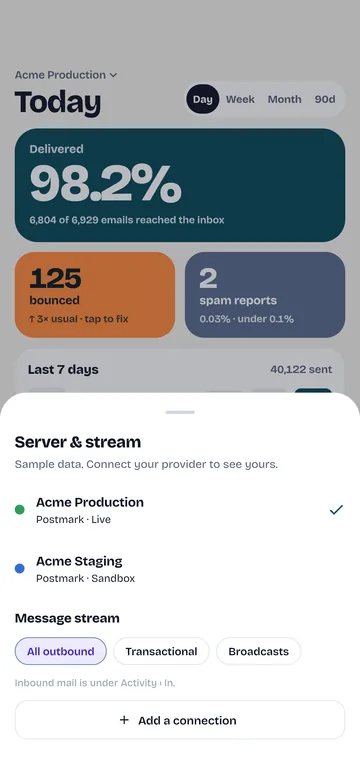
- Separate streams or sending pools. On Postmark, use a transactional message stream and a broadcast stream. Postmark sends them from separate IP pools and requires an unsubscribe link for broadcast. On other providers, use separate subaccounts, IP pools or domains.
- Separate subdomains. For example
mail.example.comfor transactional andnews.example.comfor marketing, each with its own DKIM and Return-Path. Gmail still counts subdomains with the primary domain for its 5,000-a-day bulk threshold, so this separates reputation signals, not compliance obligations. - Separate From addresses.
[email protected]and[email protected]help recipients and filters tell them apart. - Separate suppression handling. A marketing unsubscribe should not block password resets. A hard bounce should block both.
The legal side, briefly
Watch them separately. Once split, track bounces and complaints per stream. A complaint on a broadcast is expected now and then; a complaint on a password reset means someone did not recognise you or did not ask for the email, and is worth investigating the same day.
Laws treat the two differently too. In the US, CAN-SPAM largely exempts messages whose primary purpose is transactional; in the UK and EU, marketing email generally needs consent or a soft opt-in, while service messages do not. The test is the message's main purpose, so a receipt that is mostly a sales pitch may count as marketing. This is not legal advice; check the rules for where your recipients are.
Questions
Are welcome emails transactional?
A welcome email that confirms the account or contains a verification link is transactional. A welcome series that promotes upgrades is marketing.
Do transactional emails need an unsubscribe link?
Gmail's one-click unsubscribe requirement applies only to marketing and promotional messages. Still give users a way to turn off optional notifications.
Can I use the same provider for both?
Yes, as long as they go through separate streams, IP pools or subaccounts. Postmark's message streams are built for this.
Related
- Postmark message streams: transactional, broadcast, inboundEach Postmark server has an outbound transactional stream and an inbound stream; you add broadcast streams. Pick one per email with MessageStream.
- Gmail and Yahoo spam rate limit: the 0.3% rule explainedGmail and Yahoo require a spam complaint rate below 0.3%; Gmail says aim under 0.1%. How it is measured, who it applies to, what it means for receipts.
- Transactional emails going to spam: a checklist that worksCheck in order: SPF, DKIM and DMARC pass and align; links and content; reputation; complaint rate; list hygiene. Start with the message headers.
- SPF, DKIM and DMARC for transactional email: setupSign with DKIM on your domain, align SPF via a custom Return-Path, start DMARC at p=none. The records for Postmark, Mailgun, SendGrid and Resend.
- What is a good email bounce rate? Limits and targetsFor transactional email, keep your bounce rate well under 5%; Postmark requires under 10%. Most bounces should be rare hard bounces, so watch for spikes.